Frankenstein-CMS
Frankenstein CMS
Because CloudCannon is too expensive and your static site deserves a soul.

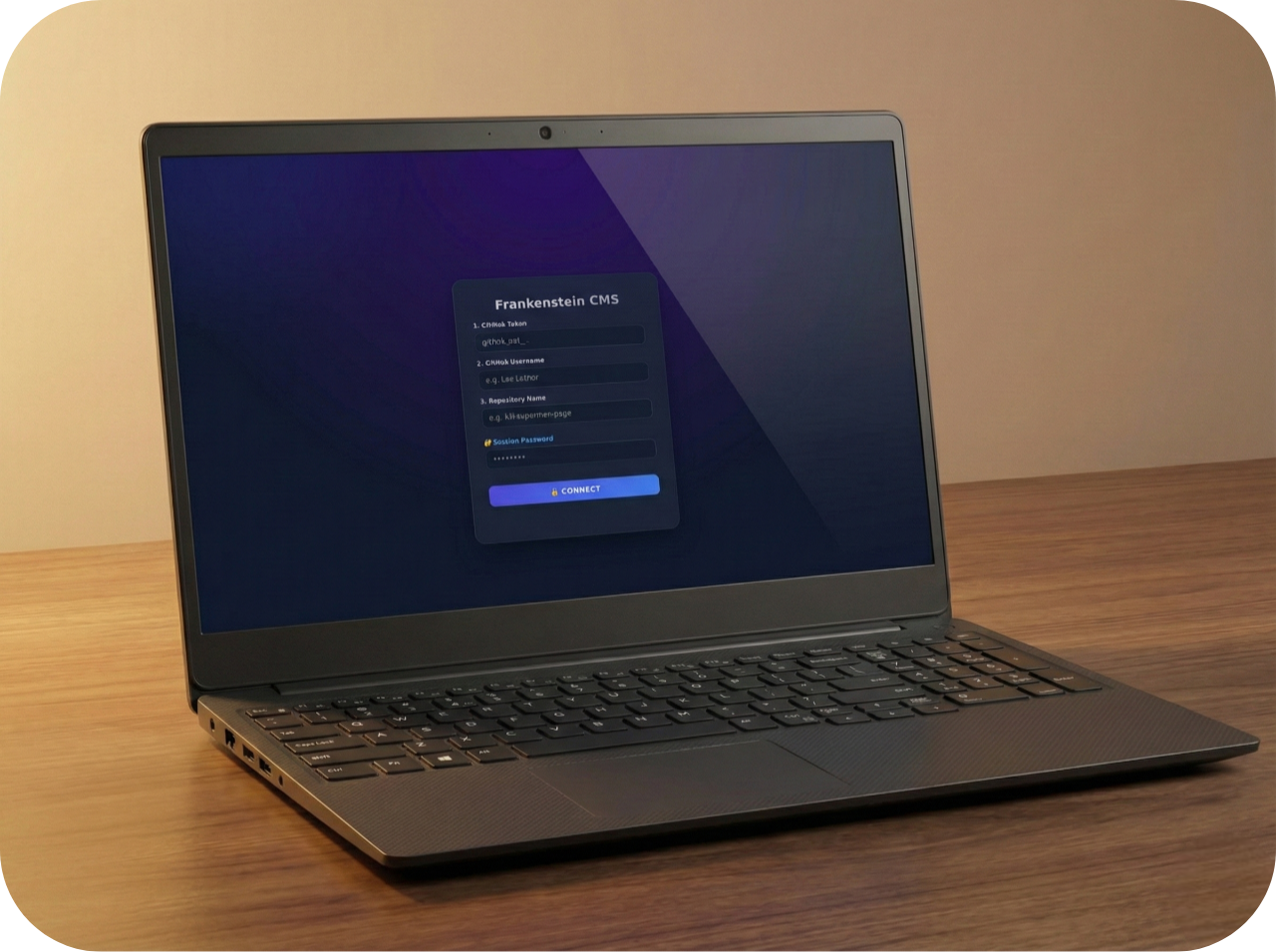
Frankenstein CMS is a zero-install, single-folder content management system specifically built for static HTML sites hosted on GitHub. No database, no Node.js overhead, no monthly subscriptions. Just one folder to dominate your repo via the official GitHub API.
It uploads files directly to GitHub, making it work perfectly with GitHub Pages, Cloudflare Pages, Netlify and other hosting services.
🛠️ How Does the Magic Work?
Frankenstein isn’t just a text editor; it’s a technical beast that solves three complex problems that other “lightweight” editors ignore:
1. CSS Transfusion
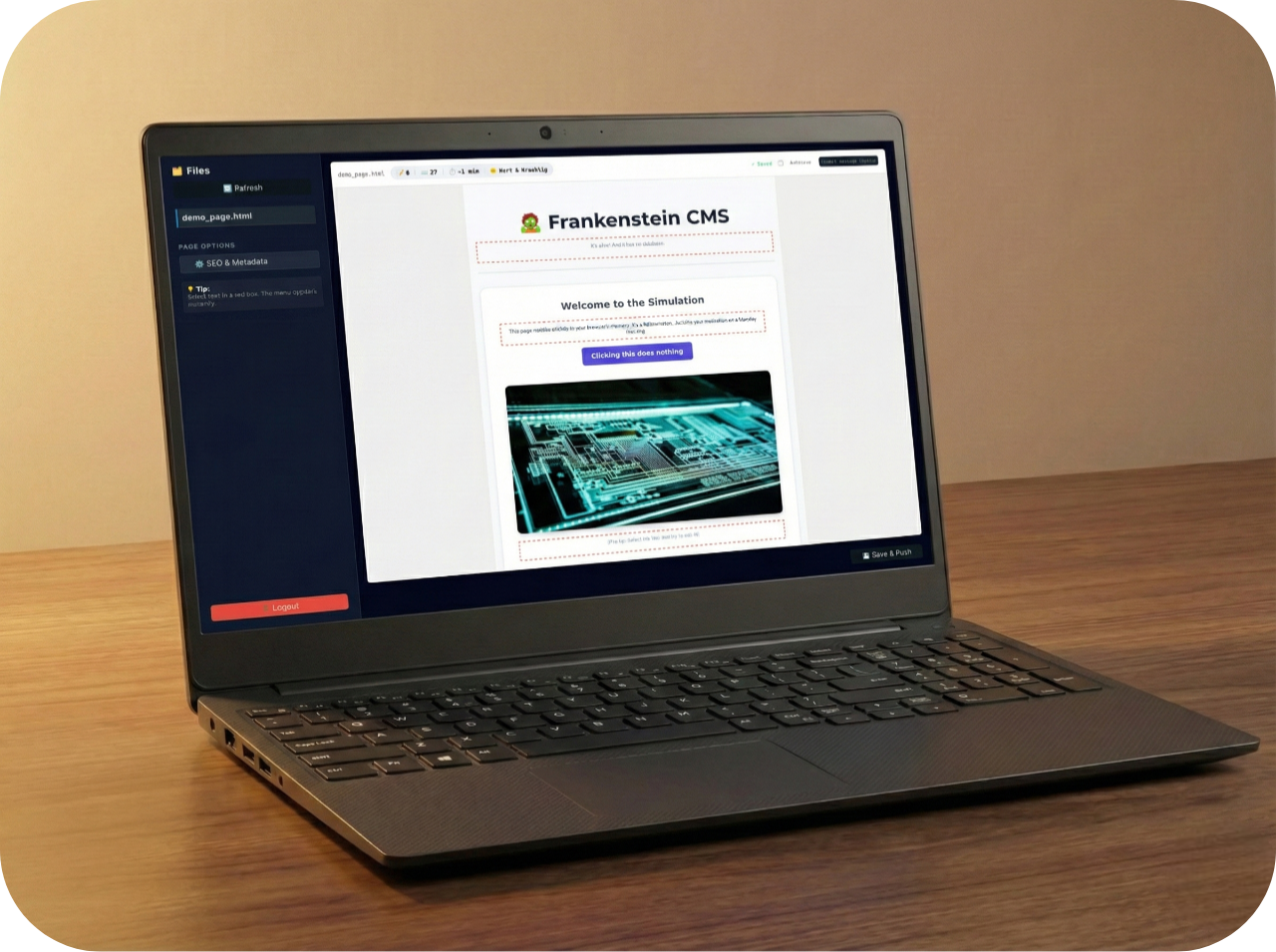
Since the CMS and your website live in the same browser tab, their styles would normally clash. Frankenstein solves this by extracting all <link rel="stylesheet"> tags from the source, fetching them via the API, and injecting them live into the editor’s Shadow DOM.
2. Private Image Reanimation
Images in a private repository are normally invisible to an external editor. Frankenstein finds all <img> tags, fetches the binary data using your GitHub token, and creates temporary blobs for the preview. Upon saving, it reverts these to their original relative paths (img/photo.jpg) to keep your repo clean.
3. The Git Suture
When you hit “Save”, the editor’s DOM is stripped of all contenteditable attributes. Frankenstein reconstructs a full HTML document by merging the original <head> and <html> attributes with the new <body>. This entire package is Base64 encoded and pushed directly to GitHub.
🚀 The Two Versions
Frankenstein now comes in two flavors depending on your needs. Choose the folder that best fits your workflow.
1. The dev/ Version (Zero Setup)
Perfect for personal projects or developers who want to manage their own sites. It talks directly to the GitHub API. No servers, no setup, just drop it in your repo.
Three ways to configure it:
- A. Manual Login: Open
dev/index.htmland log in with your Token, Username, and Repo name. - B. Local Config: Fill in your data on
frankenstein.config.jsonand reload the page. The fields will pre-fill on reload. - C. Remote/Iframe Config:
- URL Params: Append
?owner=USER&repo=REPOto the URL. - Iframe Message: If hosted in an iframe, send a
postMessagefrom the parent. (Seedev/iframe.htmlfor a working template).
- URL Params: Append
Setup (dev/):
- Add
data-editableattributes to your HTML. - Generate a GitHub Personal Access Token.
- Open
dev/index.html(or your iframe/URL link) and enter your Token. The repo details will pre-fill if you used Method B or C.
2. The prod/ Version (For Agencies & Clients) BETA (not tested yet)
Perfect if you build websites for clients. It uses a Serverless Bouncer (Cloudflare Worker) to completely hide your GitHub Token.
Now with Multi-tenant & Fallback support:
- One Worker, Many Sites: Use Cloudflare KV to store configs for multiple clients in a single worker, saving on Cloudflare plan costs.
- Fail-safe Fallback: If your primary bouncer goes down, the CMS can automatically switch to a
backupBouncerUrl. - Node.js Backup: Includes a standalone Node.js script to run your own bouncer as a fallback.
Setup (prod/):
- Deploy the Bouncer: Upload
prod/worker/worker.jsto a Cloudflare Worker. - Configure Multi-tenancy (Optional): Follow instructions in
prod/worker/wrangler.toml.exampleto set up a KV namespace for multiple sites. - Secure the Vault: Set
CLIENT_EMAIL,CLIENT_PASSWORD, andGITHUB_TOKENas secrets (or in KV). - Configure the UI: Edit
prod/frankenstein.config.jsonto point to yourbouncerUrland optionalbackupBouncerUrl. - Client Handoff: Your client visits
prod/index.htmland simply enters their Email and Password.
🏗️ Project Structure
dev/index.html: The direct-to-GitHub CMS interface.js/: Core logic including AES token encryption.
prod/index.html: The simplified Email/Password UI.worker/: The Cloudflare proxy script.js/: Core logic modified to route traffic through the Bouncer.
Igor: Your loyal assistant (dev/js/igor.js) who tracks stats and judges your writing style.
⚰️ Todo & Roadmap
Planning:
IMPORTANT:
- Git Time Travel (History & Revert): The ability to retrieve old versions (commits) via the GitHub API. In case you accidentally demolish the place.
- Mobile Preview: A button to narrow the editor to mobile size (375px), so you can see if the layout breaks on small screens.
- Giving Igor a brain: Making Igor smarter than just counting words (e.g. broken link checker or SEO warnings).
- More SEO Options: adding more options to edit the header and maybe have Igor help.
Later:
- Phone Ready Editor: An app for mobile devices to edit texts on the go. Maybe with just webview.
- Block Inserter Section: A menu to inject ready-made HTML components (like Google Sites) directly into the
data-editablecontainer. - Image Upload: Support for uploading new images to the repo’s
/img/folder, so that the new sections don’t remain naked.